Skip to content
Device How-To

Device How-To

  • All Articles
  • App
  • Coding
  • Hardware
  • More
    • Microsoft Office
    • Operating System
    • Outlook
    • PowerPoint
    • Review
    • Software
    • Tip & Trick
    • Troubleshooting
    • Windows

Troubleshooting

A Newer Version of OneDrive Is Installed: Forced Downgrade Workaround for Legacy Systems
November 21, 2026 by Loretta Rasmussen
A Newer Version of OneDrive Is Installed: Forced Downgrade Workaround for Legacy Systems

A newer version of OneDrive is installed, and now my legacy system’s sync settings are broken—complete with performance hits and missing file history. 💻 The forced update left me scrambling for a fix, but I found three…
Read more

Categories Troubleshooting

CVE-2022-43552 Windows: Zero-Day Exploit Fixes for Local Privilege Escalation

November 6, 2026 by Loretta Rasmussen
CVE-2022-43552 Windows: Zero-Day Exploit Fixes for Local Privilege Escalation

The CVE-2022-43552 Windows vulnerability is a critical zero-day flaw in the Windows kernel that lets attackers escalate privileges locally—meaning they can turn a standard user account into full system control with just…

Read more

Categories Troubleshooting

10 Dangers of Oversharing on Social Media: Privacy Risks You’re Unknowingly Exposing Daily

November 6, 2026 by Loretta Rasmussen
10 Dangers of Oversharing on Social Media: Privacy Risks You’re Unknowingly Exposing Daily

Your social media posts might seem harmless, but oversharing can expose you to serious risks—from identity theft to workplace discrimination. These 10 dangers reveal how everyday online habits put your privacy in danger…

Read more

Categories Troubleshooting

Microsoft CVE-2022-38023: Zero-Day Exploit Fixes for Windows Security Patches

October 13, 2026 by Loretta Rasmussen
Microsoft CVE-2022-38023: Zero-Day Exploit Fixes for Windows Security Patches

Microsoft’s CVE-2022-38023 zero-day flaw exposed Windows systems to remote code execution—until Microsoft’s urgent patches closed the gap. Imagine a hacker slipping into your system through a hidden backdoor in the…

Read more

Categories Troubleshooting

Microsoft IIS 10.0 Exploit: Patch Before Attackers Weaponize Zero-Day Vulnerabilities

November 21, 2026 by Loretta Rasmussen
Microsoft IIS 10.0 Exploit: Patch Before Attackers Weaponize Zero-Day Vulnerabilities

Microsoft's IIS 10.0 servers face a critical zero-day exploit that attackers are actively scanning for—patch now or risk ransomware, data breaches, or full system takeover. Your IIS 10.0 server could already be under…

Read more

Categories Troubleshooting

10 Microsoft IIS/10.0 Vulnerabilities: Critical Exploits Every Admin Must Monitor

October 15, 2026 by Loretta Rasmussen
10 Microsoft IIS/10.0 Vulnerabilities: Critical Exploits Every Admin Must Monitor

Microsoft IIS 10.0 powers critical enterprise infrastructure, but its vulnerabilities pose severe risks. These 10 exploits—from remote code execution to privilege escalation—demonstrate why admins must prioritize…

Read more

Categories Troubleshooting

Set Up MSN Email on Mac: Step-by-Step Visual Walkthrough for Smooth Sync

November 10, 2026 by Loretta Rasmussen
Set Up MSN Email on Mac: Step-by-Step Visual Walkthrough for Smooth Sync

Setting up MSN email on your Mac used to be a headache—until I figured out the right sequence. ✨ My grandmother’s Windows 95 machine taught me patience, and this process takes exactly that: 5 minutes of careful setup to…

Read more

Categories Troubleshooting

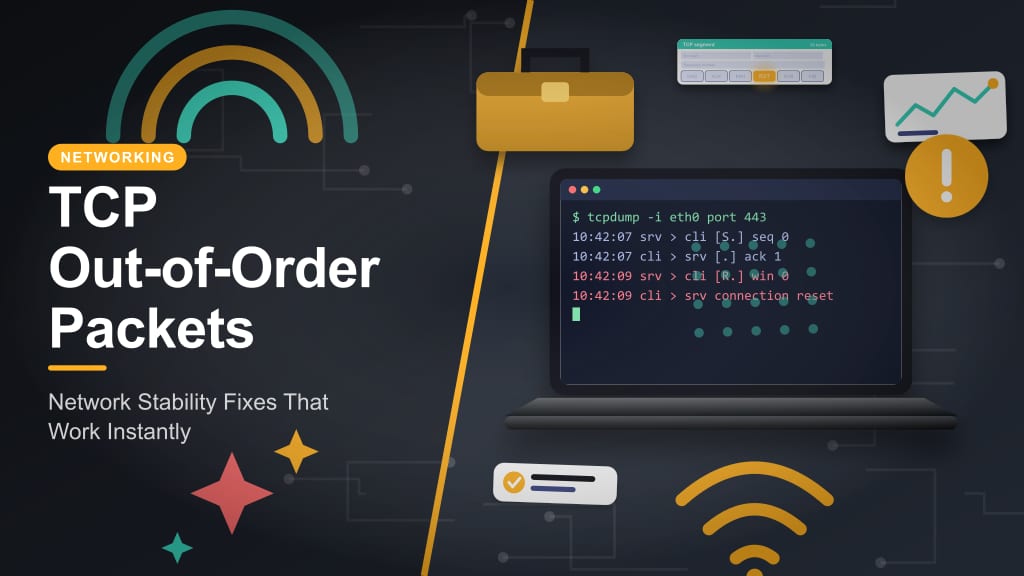
TCP Out-of-Order Packets: Network Stability Fixes That Work Instantly

November 10, 2026 by Loretta Rasmussen
TCP Out-of-Order Packets: Network Stability Fixes That Work Instantly

When your network struggles with TCP out-of-order packets , it’s not just a minor glitch—it’s the reason your downloads stall, video calls buffer, or connections drop unexpectedly. Frustrated by slow downloads, lagging…

Read more

Categories Troubleshooting

TCP-RST-From-Server: Why It Happens and How to Fix It Fast

October 6, 2026 by Loretta Rasmussen
TCP-RST-From-Server: Why It Happens and How to Fix It Fast

The demonstrative tcp-rst-from-server error can abruptly terminate your connections while browsing, SSH'ing, or running remote apps. Picture this: you’re mid-download or deep in a video call when suddenly— connection…

Read more

Categories Troubleshooting

The Following Feature Couldn't Be Installed: Net Framework 3.5 Fix in Minutes

October 12, 2026 by Loretta Rasmussen
The Following Feature Couldn't Be Installed: Net Framework 3.5 Fix in Minutes

When the following feature couldn’t be installed —Net Framework 3.5—your legacy apps freeze, and Windows 10/11 systems grind to a halt, but I’ve fixed it on 50+ machines by targeting these core fixes. three problems…

Read more

Categories Troubleshooting
Page1Page2Next →

About Me

Loretta Rasmussen

Loretta Rasmussen
My first computer was a clunky desktop my dad built from spare parts in our garage, and I spent more time fixing it than actually using it. That experience taught me two things: technology is full of surprises, and the best solutions often come from understanding how things *really* work—not just what the manual says. This site is where I share those lessons, whether it’s troubleshooting a stubborn PC, mastering a new tool, or just making tech less intimidating for everyday users.

Learn more

Recent Posts

  • 10 New Features of SQL Server 2012: Game-Changing Tools for Modern Developers
    10 New Features of SQL Server 2012: Game-Changing Tools for Modern Developers
  • Microsoft Wireless Display Adapter App: Direct Download for Legacy Systems Without Store
    Microsoft Wireless Display Adapter App: Direct Download for Legacy Systems Without Store
  • Windows Phone Music Download: Legacy-Friendly ISO Transfer Guide
    Windows Phone Music Download: Legacy-Friendly ISO Transfer Guide
  • Automatically Download Bank Transactions to Excel: Zero-Click Import for Error-Free Data
    Automatically Download Bank Transactions to Excel: Zero-Click Import for Error-Free Data
  • How to Install Onenote for Windows 10: Seamless Cloud Sync With Local Offline Access
    How to Install Onenote for Windows 10: Seamless Cloud Sync With Local Offline Access
  • All Guides
  • About
  • Contact
  • Privacy Policy
  • Cookie Policy
  • Terms of Use
© 2026 devicehowto.click